
Automated Operations Powered by Black Fox AI
AI Assistant Pro
AI Assistant Pro delivers the exact same infrastructure core as Pro Mode—with every workflow operated by Black Fox Group's dedicated AI through quick Tasks and Chat with AI, plus exclusive tools: Add Outbounds, Diagnose & Repair, Link Test, and VPS To VPN MCP.
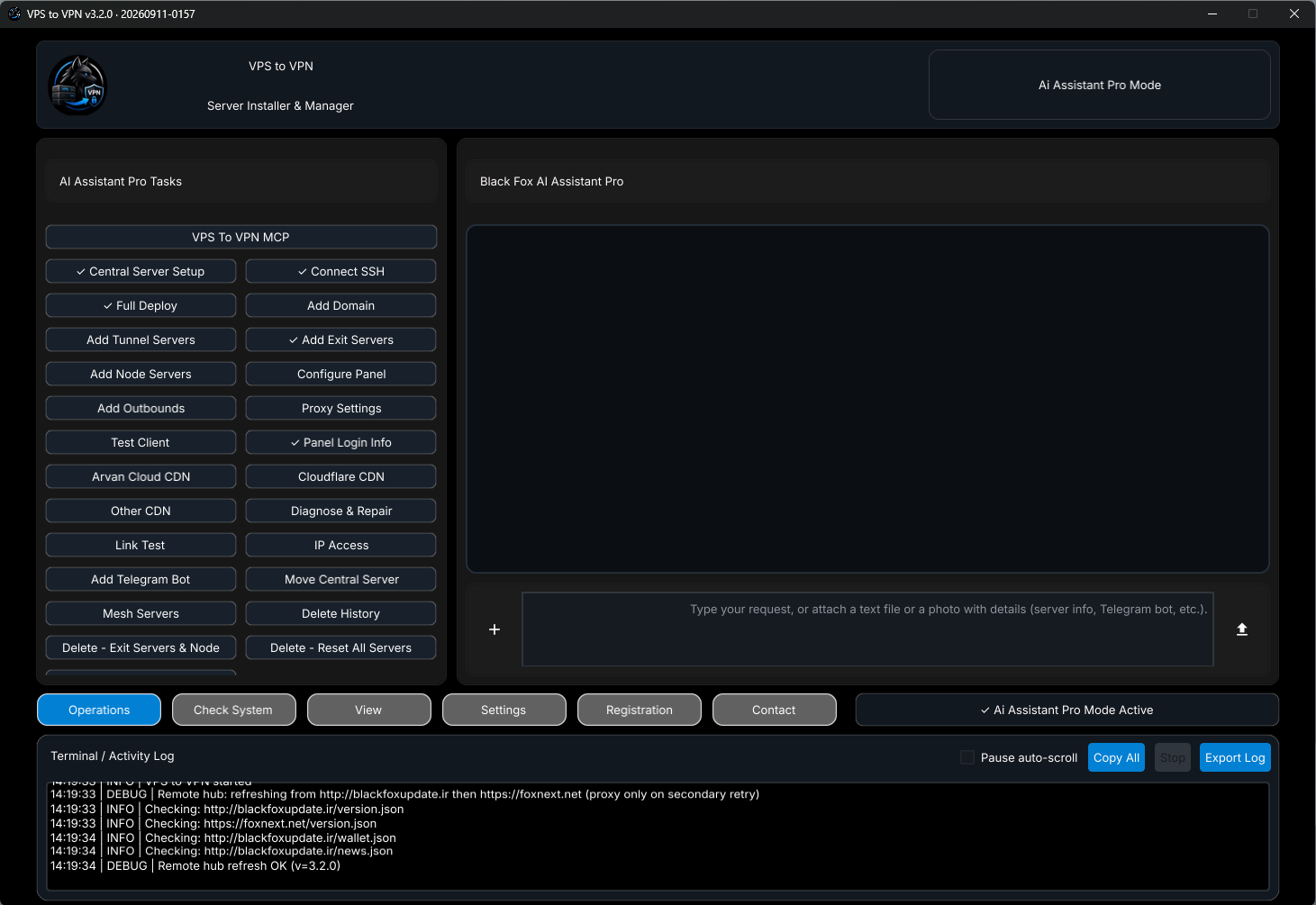
Windows Dashboard
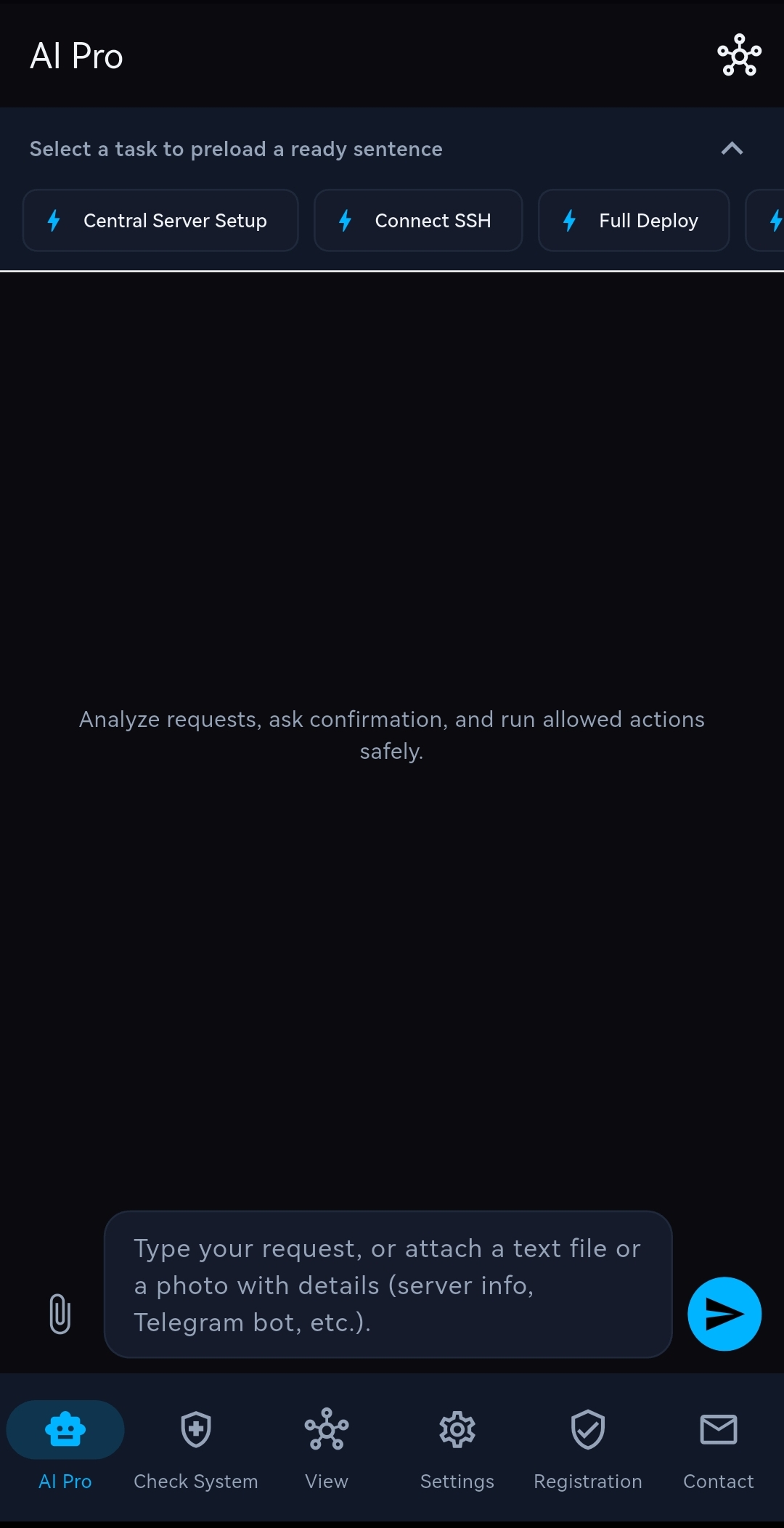
Android Dashboard
How AI Assistant Pro Works Across Windows & Android
State-aware automation with human confirmation before every server change—plus full manual Pro fallback
- Quick Tasks Panel: Use the left
AI Assistant Pro Taskscolumn on Windows or top preload chips on Android to insert structured action prompts in one tap. - Chat with Black Fox AI & Attachments: Describe tasks in plain language or attach text configs, server logs, and screenshots via
+/ paperclip; the AI checks current state and asks confirmation before running server mutations. - Exclusive Add Outbounds: Click
Add Outboundsand paste anyv2ray / xrayJSON config; Black Fox AI registers it directly as a custom 3X-UI outbound with matching inbound/client setup (up to 10 server ledger entries). - Exclusive Diagnose & Repair, Link Test & MCP: Run automated multi-layer troubleshooting, benchmark best tunnel protocols, or bridge external MCP clients via
VPS To VPN MCP—while keeping manual Pro available anytime inView.
AI Assistant Pro Exclusive Capabilities
- Full underlying
Pro Modeengine operated through Black Fox Group's own AI. - One-click desktop
Tasksgrid and Android quick task chips covering deployment, Mesh, DNS/CDN, and bots. - Natural-language chat with
+/ paperclip file and screenshot upload + mandatory safety confirmation. - Exclusive
Add Outboundsfor injecting customv2ray / xrayoutbound JSON directly onto 3X-UI. - Exclusive
Diagnose & Repairauto-fixer and cross-serverLink Testprotocol advisor. VPS To VPN MCPintegration overstdio(mcp.json) with masked credentials while the app remains open.
See AI Pro Walkthrough & AI Recharge
Explore Tasks, Chat, Add Outbounds, and MCP setup step by step or recharge AI credits.