
AI Telegram Support Suite & Local Web Control Panel
Smart Support Bot & Smart Support Manager
Two inseparable programs in one unified suite: use Smart Support Manager on Windows to organize docs, screenshots, and AI catalogs and sync them via SSH so Smart Support Bot on Linux answers users 24/7 in Telegram across 4 languages.
Why Both Programs Work Together as One System
The Telegram bot and the web manager are two halves of one shared architecture linked on your VPS under /opt/smart-support/products/<product-id>/. Smart Support Manager handles authoring, AI catalog building, photo mapping, upload queues, and SSH deployment locally; Smart Support Bot serves those published catalogs and matched screenshots live inside Telegram.
1. Smart Support Manager (Windows Local Web Expert)
- Runs locally at
http://127.0.0.1:8766in a clean dark 4-language browser UI without manual Linux shell work. - Parses multi-format product docs and source code (
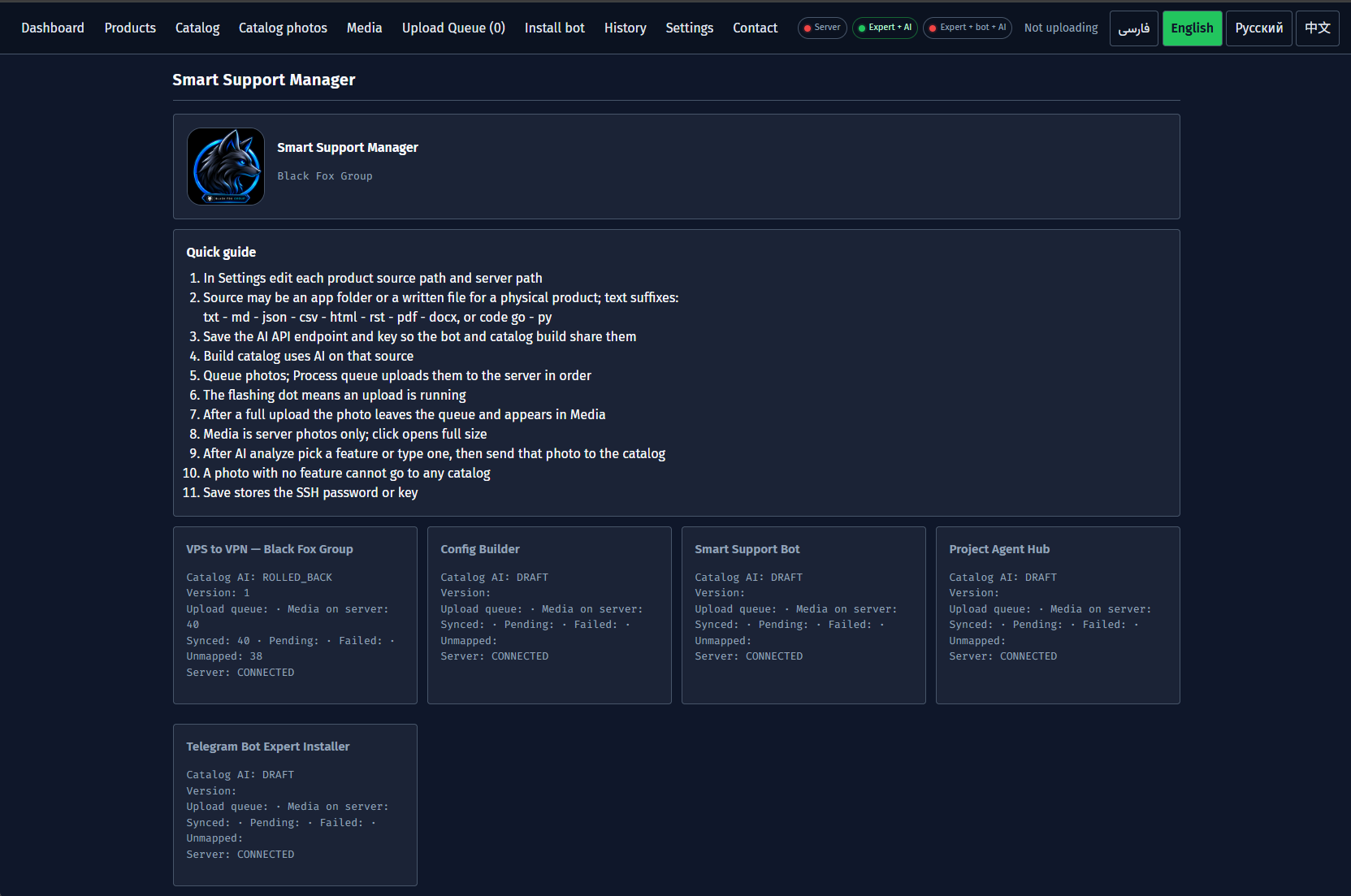
TXT,MD,JSON,CSV,HTML,PDF,DOCX,Go,Python) to generate structured product catalogs. - Provides ordered SSH screenshot upload queues, AI photo-to-feature mapping, and one-click Linux Bot + Expert installation.
2. Smart Support Bot (Linux Telegram Support Service)
- Runs continuously on Ubuntu/Debian via
systemdandaiogramin an isolated Python virtual environment. - Delivers 4-language Telegram menus (
FA,EN,RU,ZH) for product guides accompanied by matching feature screenshots. - Provides product-scoped
Ask AIQ&A so answers never mix documentation across separate products.
Unified Suite Capabilities
What Smart Support Bot & Manager Do Together
- Live Sync Over Shared Server Storage: Any catalog edit or photo mapping published via
Use catalog in botgoes live immediately in Telegram. - Strictly Isolated Multi-Product Support: Each product keeps its own ID,
catalog.json,media/directory, and independentOn / Offvisibility switch. - Dual AI Configuration: Configure separate OpenAI-compatible models/endpoints for Manager catalog authoring vs. live Telegram Bot replies.
- Polling & HTTPS Webhook Modes: Deploy immediately with zero domain setup using
Polling, or scale behind an HTTPS reverse proxy withWebhook. - End-to-End Observability & Admin Controls: Audit every action in Manager's
Historytable while managing AI agents and rescans directly from admin Telegram commands. - Four Built-In Languages: Both the web Manager UI and Telegram user flows support English, Persian, Russian, and Chinese.
End-to-End Workflow
From Installation to Live Telegram Support
- Install the suite on Windows via PowerShell or ZIP and launch
Start-Smart-Support-Manager.bat. - Enter VPS SSH credentials and OpenAI-compatible AI settings in Manager
Settings. - Add your products in
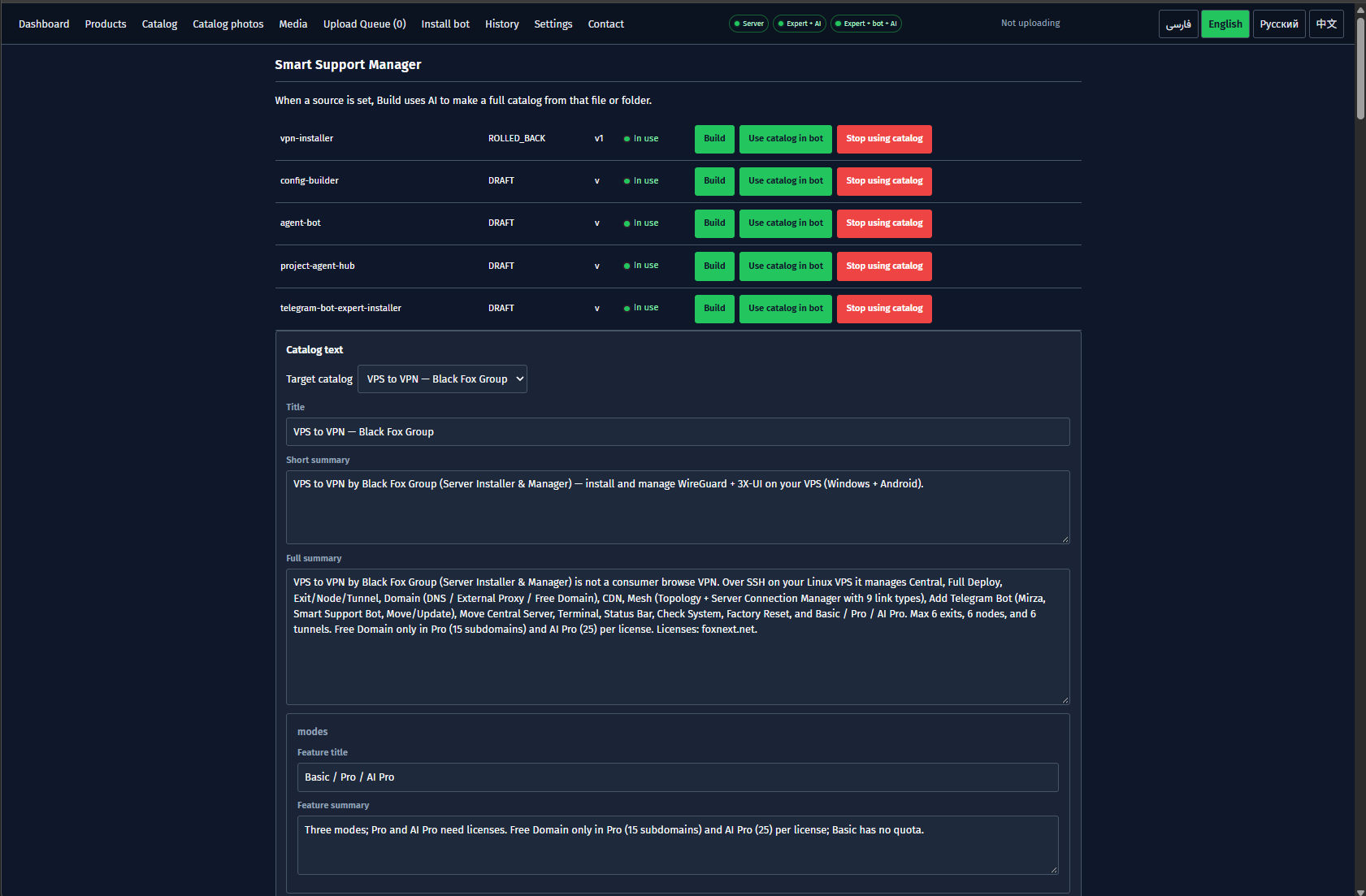
Productsand build draft guides automatically inCatalog. - Review text, publish with
Use catalog in bot, and upload/map screenshots viaUpload Queue,Media, andCatalog photos. - Run steps
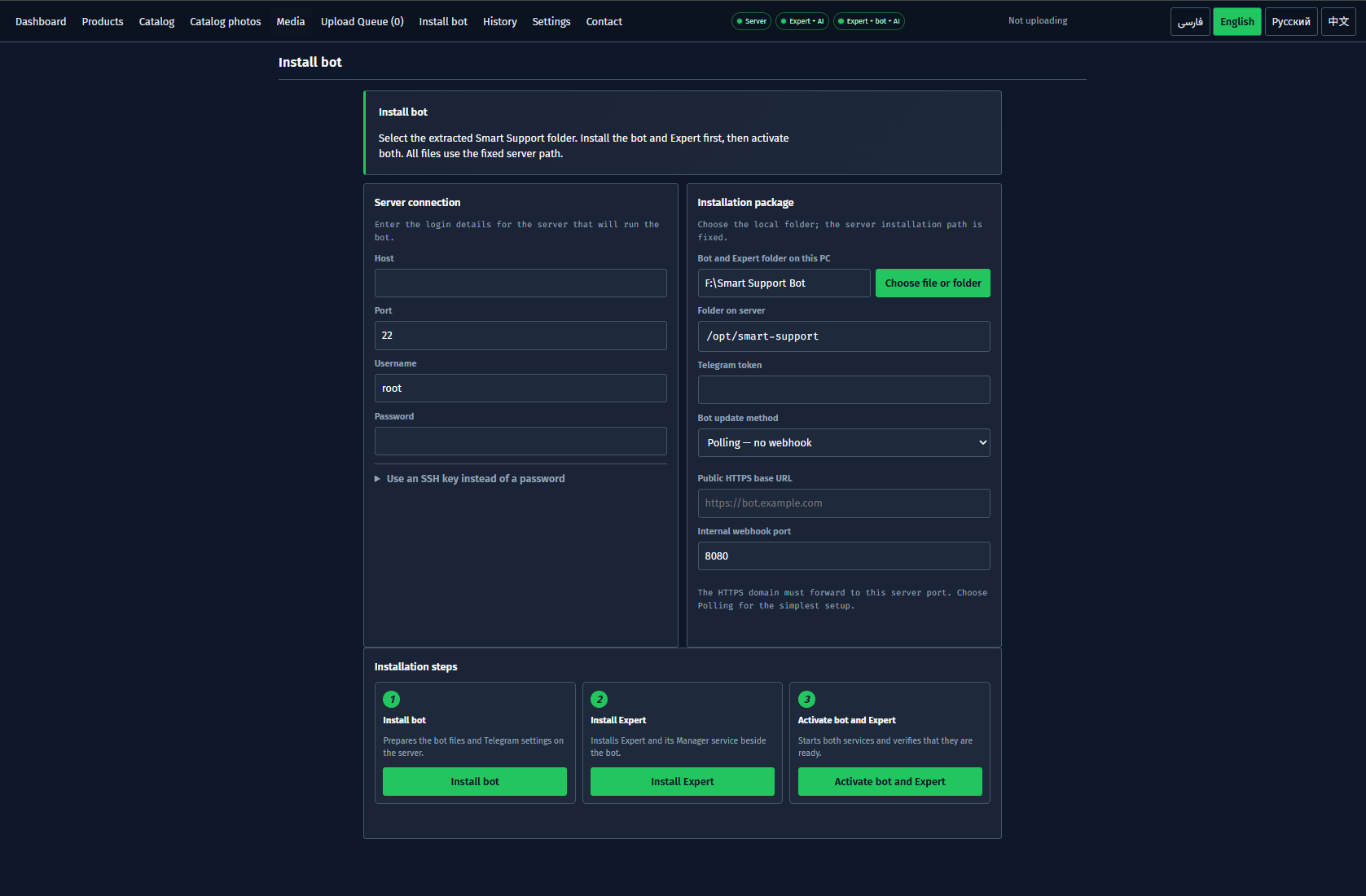
1. Install bot,2. Install Expert, and3. Activate bot and ExpertfromInstall bot. - Open Telegram, send
/start, switch languages, browse guided sections, and test product-scopedAsk AI.
Inside Smart Support Manager
Author catalogs, review AI output, map screenshots, and deploy both server services from one dark local web interface:
Requirements & Quick Installation
- Control PC: Windows with Python, a modern browser, and SSH access (password or key) to your VPS.
- Bot Host Server: Ubuntu or Debian Linux server with root or sudo SSH privileges.
- One-Command Windows Install: Run
irm https://raw.githubusercontent.com/BlackFoxGroup/smart-support-bot/main/deploy/install-suite.ps1 | iexin PowerShell. - Manual ZIP Setup: Download
smart-support-suite.zipinto its own clean folder and runStart-Smart-Support-Manager.bat. - Credentials Needed: Telegram Bot Token from
@BotFatherand an OpenAI-compatible AI API key.
Security & Data Governance
- Local Encrypted Credentials: SSH passwords stay encrypted locally and are never written into catalogs or public logs.
- Hardened Server .env: Bot tokens and API keys reside in server
.envprotected withchmod 600. - Human-in-the-Loop Publishing: AI drafts never reach Telegram users until you review and explicitly press
Use catalog in bot.
Explore Every Screen & Command Step by Step
Open the complete illustrated suite tutorial covering all 10 Manager tabs, Polling vs Webhook deployment, Telegram user/admin commands, and troubleshooting.